Wildlife photography culling: a sane workflow for big trips
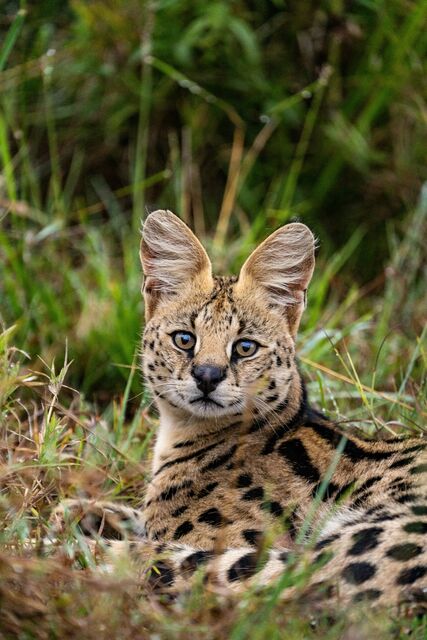
A good wildlife trip can look like a disaster when you get home: five days of cards, dozens of near identical flight sequences, and somewhere in there the behavior you waited two mornings to see. This is the workflow that keeps the trip manageable while you are still on it, and leaves the careful decisions for a real screen.
Why a good trip feels like a disaster on the drive home
Wildlife is the only genre where you can shoot more frames before breakfast than most photographers shoot in a full working day. For scale, a wedding is typically 2,000 to 4,000 RAW frames across eight to ten hours. One morning at a hide, with a bird that will not settle and a camera firing at twenty frames a second, can match that on its own. Then you do the afternoon. Then you do it again for four more days.
The frames are not really the problem. The backlog is, and it has a nasty property: the context goes stale at exactly the rate the pile grows. On day one you know precisely which pass was the one where the tern handed the fish over. By day six you have six mornings of reeds and no idea which folder that was even in.
So the workflow below is built around one idea. Do the cheap, perishable work in the field every evening. Save the expensive, careful work for a real screen at home. The goal is not to finish a cull in a tent. It is to arrive home with a shortlist that still has your memory attached to it.
This is not speed for its own sake either. A UK survey of more than 300 wedding photographers, reported by PetaPixel, put culling at 11 percent of working time against 4 percent shooting. That was weddings, and it predates the current generation of AI tools, but the shape holds. Sorting eats a real slice of the year, and a wildlife trip concentrates a year of it into a week.
Decide the boring things before you leave
Three decisions belong at home, on a table, with power and coffee. Made in the field at 10 PM, they get made badly.
The card policy. Shoot to two cards where the body allows it. If it does not, treat a full card as a backup and park it: label it, put it in a different pouch from the empties, and format nothing until the files exist in two places you have actually opened. Formatting in the field to save buying another card is the most expensive habit in wildlife photography.
The drives. Two bus powered SSDs, carried in two different bags. One travels with the laptop, one travels on your body. The full protocol is in our 3-2-1 backup workflow, and the short version is that a copy living in the same bag as the original is not a copy.
The naming scheme. Pick it once and never improvise. Date first, broad location second, so folders sort themselves: 2026-08-12_Marsh-North. Keep the camera original filenames until the catalog is backed up, because sequence numbers are how you reconstruct a takeoff six months later. Long term structure is covered in our RAW file management guide.
One ethics note while you are at it. Keep sensitive site detail out of anything you publish. Broad place names in captions, coordinates stripped from public exports, particularly for nests and vulnerable species.
Twenty minutes a night, in the same order
Ingest, verify, annotate. Nothing else. It takes about twenty minutes and it is the difference between a trip you can face and one you cannot.
Ingest the day's cards into the date folder on drive one, then copy that whole folder to drive two. Verify by opening a handful of files from the second drive, not the first. A copy nobody has ever opened is a rumor, not a backup.
Annotate while you still remember. This is the step everyone skips and the one that pays the most. Species, broad location, weather, and above all what happened and roughly when. A keyword string like NorthernHarrier / hunting / overcast / marsh is worth far more in November than a folder called Thursday birds. A thirty second voice memo in the car does the same job: "first juvenile, prey exchange around 6:42."
The time is the real prize. Months later, it is what lets you walk into three thousand chronological files and land on the twenty five that matter. Fuller keywording is better done after the cull, and we made that case separately, but the field notes have to happen the same day or they never happen at all.
Culling on a laptop in camp, honestly
A laptop screen in a tent is good enough for some decisions and genuinely bad for others. The trick is knowing which is which, and only doing the first kind.
What it is good for: throwing out the accidents. Frames where the shutter fired into a bag, the bird left before you got there, a branch owns the whole picture, or the burst tail has nothing in it but empty sky. Those are obvious at fit to screen size, they are a large share of any high frame rate day, and clearing them means the pile waiting at home is candidates rather than confetti.
What it is bad for: anything decided at 100 percent. A camp laptop is viewed at the wrong brightness, at the wrong angle, by someone who has been awake since four. Critical focus calls made there get made again at home, and making the same decision twice is not a workflow.
So run the field pass positive and soft. Flag what deserves another look. Mark the obvious failures as rejects rather than deleting them, because a rejection is reversible at a desk and a deletion is not. We made the same argument for weddings in culling on location, and the physics do not change for birds.
If you would rather not carry the laptop at all, an iPad and a card reader will handle the flagging pass perfectly well. We covered that setup in culling RAW files on an iPad from an SD card.
Three kinds of keeper, not one
The hardest habit to break on a wildlife trip is judging every frame as though it were auditioning for a print. Use three categories instead of one, and decide which category a file is competing in before you judge it.
Portfolio. Technically strong and visually strong. Clean background, resolved eye, a gesture that means something. This should be the smallest group by a wide margin.
Documentary. Evidence. An unusual species, a molt stage, a feeding method, an interaction between adult and juvenile. It can be noisy, cropped hard, or half behind a reed and still be the most valuable file on the card, because it records something you may never watch again.
Learning. Frames that show you what went wrong: where the autofocus went instead, how the backlight behaved, what that shutter speed actually cost. Keep them until you have taken the lesson out of them.
Give each category its own rating or color label so the three never compete. A documentary frame forced into a beauty contest with a portfolio frame loses every time, and you lose the record with it. That specific mistake is the reason this structure exists.
Three passes across the whole trip
Pass one happens in the field, nightly, as above. Accidents out, promising encounters flagged, no zooming.
Pass two happens at home on a real screen, and it is organized by encounter rather than by time. Group each burst or run into its own stack, then judge the stack as a unit before you judge anything inside it. Ask first whether this encounter deserves any files at all. Plenty do not, and answering that once is far quicker than comparing forty frames to crown the best of a mediocre run.
For the encounters that survive, the frame by frame comparison is a craft in itself: eye focus first, then wing position, then how rare the behavior is. That has its own article on judging a bird burst, because it is where trips are actually won and lost, and it deserves more room than a paragraph here.
Pass three is about the trip, not the frames. Lay the finalists out together and look for variety: a wide habitat frame, a portrait, a piece of behavior, maybe one abstract detail. Twenty five versions of the same bird on the same perch is a storage decision dressed up as a portfolio. A morning at the marsh reads far better as approach, action and departure.
What to put on the travel laptop
None of this is required. A catalog and a fast browser will do the whole job. But these tools have genuinely different jobs, and it helps to know which one you are reaching for.
| Tool | What it does on a trip | Price |
|---|---|---|
| Photo Mechanic | The fastest way to browse and reject a huge RAW folder, using embedded previews. No AI at all: it makes you faster, it does not decide anything for you. | $14.99 per month, $149 per year, or $299 once |
| FastRawViewer | The budget RAW browser. One payment, two computers, fine on a travel laptop. | $23.99 once, 30 day trial |
| Lightroom Classic | Catalog, keywords, collections, ratings and the edit. Where the trip lives after you get home. | Adobe photography plan $19.99 per month with 1 TB, Lightroom only $11.99 per month |
| Aftershoot Select | Desktop AI selection, processed locally, unlimited images. Groups near identical frames so a burst arrives as one stack. | $10 per month billed annually, $15 monthly, 30 day trial |
Prices checked August 2026 from each vendor's own pricing page.
One thing changed this year that wildlife photographers should know about. Adobe now ships Assisted Culling in Lightroom, scoring subject focus, eye focus and eyes open, and it can run at import. It is genuinely useful. Adobe also describes it as optimized for portraits and headshots, which is worth reading twice before you point it at a folder of harriers. We go into where it helps and where it stops in the limits of Lightroom Assisted Culling.
Where we fit, stated plainly. Kepla's photo picking app is still being built, native for iPhone, iPad and Mac, and it is aimed squarely at pass one: it proposes a shortlist and you approve it from wherever you happen to be, including the passenger seat on the way back from the marsh. It picks. It never deletes, moves or renames a file, so every frame it set aside stays exactly where it was. The booking page, the part that holds a date and takes a deposit, is live and free today.
The end of day checklist, and what to keep
- Copy the day's cards to two drives, then open files from the second one before you believe it.
- Name the folder date first, broad location second. No exact nest coordinates in anything you will publish.
- Write the species and behavior notes tonight, with times. A voice memo counts.
- Run a fast reject pass at fit to screen. No zooming, no 100 percent, no crowning winners yet.
- Flag the encounters worth comparing properly at home.
- Charge everything. Format nothing.
On what to keep long term: storage is cheap and a lost natural history record is not, so bias toward holding the RAWs from anything unusual. But keeping every ordinary flyby burst forever makes every future search slower. A workable compromise is a holding collection for the maybes, revisited once, a month later, with rested eyes. Whatever has not earned portfolio, documentary or learning status by then can go, deliberately and on purpose. We argued the general case in whether to keep rejected RAW files.
The one rule that matters most
Nothing irreversible happens in the field. Flags, ratings and rejects are decisions you can revisit at a desk with a coffee. Anything you erase in a tent at 10 PM, you erase forever, on the evidence of a dim screen and a tired eye.
FAQ
How do you cull thousands of wildlife photos without losing a week to it?
Split the job. In the field, run a fast pass at fit to screen size that only throws out obvious accidents and flags the encounters worth revisiting. At home, work encounter by encounter rather than frame by frame, deciding first whether a whole sequence deserves any files at all. The slow, careful comparison then only ever runs on a short list.
Should I delete photos in the field to free up cards?
No. Buy another card instead. Deleting from a card that has not been copied twice means editing your only copy, on a small screen, while tired. Mark rejects with a flag or a label so the decision stays reversible, and format cards only once the files exist in two places you have opened and checked yourself.
Is a soft eye an automatic reject in wildlife photography?
Not automatically. A soft eye usually disqualifies a portfolio frame, but it says nothing about a documentary one. If the file is the clearest evidence you have of a prey handoff, a courtship display or an unusual species, label it as documentation and judge it on what it records rather than on fine detail.
Can AI culling tools handle wildlife photos?
Partly. They are good at grouping near identical frames from a burst and at surfacing the technically clean ones, which removes a lot of repetitive work. They do not know that a branch across the tail is acceptable because the behavior is rare, and most were tuned on people. Let them narrow the pile, then review every behavior rich sequence yourself.
How many photos should I keep from a wildlife trip?
Far fewer than feels comfortable on day one. For a routine encounter, one strong frame plus perhaps an alternate with a genuinely different pose. For a real progression, an approach, a contact and a resolution can justify a short sequence. The test is whether each extra frame adds information, not whether it is nearly as good.
Do I need a laptop on a wildlife trip, or will an iPad do?
An iPad with a card reader is enough for the field job, which is backing up, adding notes and flagging. What you cannot comfortably do on a tablet is the side by side comparison of near identical frames at full size, and that work belongs on a proper screen at home anyway. Carry whichever is lighter, and back up to two drives regardless.
Start the cull on the way home, not next week.
Kepla for Mac clears the obvious misses from a card, names the reason on every frame it sets aside, and leaves the choosing to you. Nothing is ever deleted, moved or renamed. Free through the private preview · the first hundred photographers keep it at $99 a year.