The 3-2-1 backup workflow, sleep-well edition
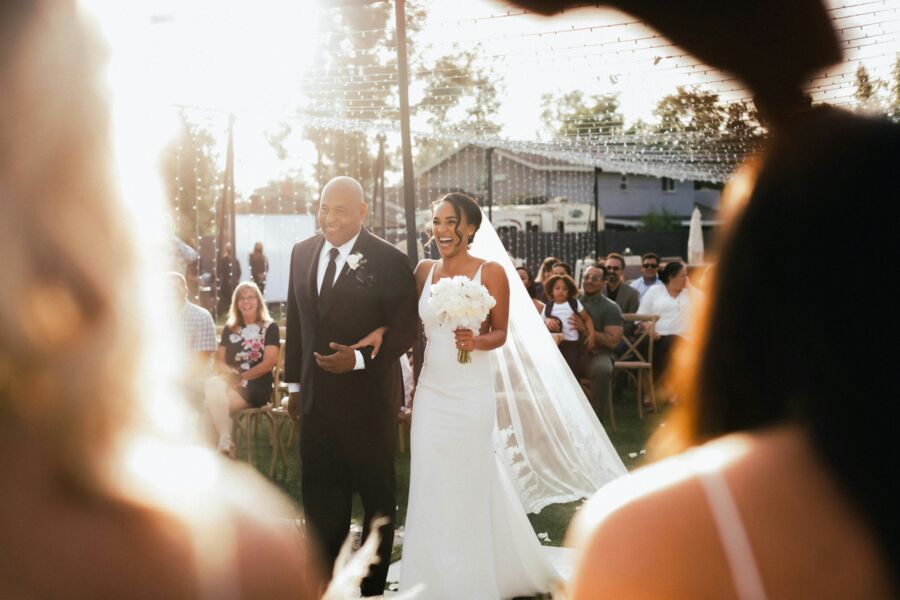
Every photographer has two eras: before their first card scare, and after. You don't need enterprise IT to be safe. You need one boring rule, applied the same way after every shoot, plus a stricter version for the days that can't be reshot. This is that system, written as a checklist you can actually follow at 11 PM after a ten-hour wedding.
3-2-1, translated into photographer
The 3-2-1 rule is decades-old sysadmin wisdom: three copies of everything, on two different types of storage, one of them offsite. Why three? Because the failure that gets photographers isn't one drive dying. It's a second thing going wrong while you're recovering from the first. Here's what the rule looks like mapped onto a photography business:
| Copy | Where it lives | Job | Protects against |
|---|---|---|---|
| Copy 1, working | Editing drive (internal SSD or fast external) | The files you cull and edit from | Nothing. This is the copy at risk |
| Copy 2, local backup | Second drive or NAS, ideally a different medium | Fast restore when copy 1 fails | Drive failure, accidental deletion, catalog corruption |
| Copy 3, offsite | Cloud cold storage, or a drive kept away from home | The disaster copy | Theft, fire, flood, ransomware, anything that takes copies 1 and 2 together |
"Two different types of storage" matters more than it sounds: two identical drives bought the same day from the same batch have a bad habit of failing the same way. Mix media: SSD plus spinning disk, local plus cloud. For how to structure the folders that live on these drives, see the RAW file management guide; for choosing the cloud tier, the cloud storage breakdown covers hot vs cold trade-offs without the vendor fog.
The step-by-step for days you cannot reshoot
A wedding produces somewhere in the range of 2,000 to 4,000 RAW frames across an 8 to 10 hour day (typical industry ranges), and exactly zero of them can be taken again. So the protocol tightens:
- Night before: format in camera, check both slots. Format every card in the camera it will be used in, confirm dual-slot mode is set to backup (RAW to both cards), and pack more cards than the day could possibly need.
- During the day: write to both slots, swap nothing casually. With backup mode on, every frame exists twice the instant you press the shutter. When a card fills, the full card goes into a case on your body, not a bag that gets set down, not the car.
- Reception lull: cards physically separated. If you shoot with a second photographer, their filled cards and yours travel home in different bags. One bag stolen from a car should never mean a wedding is gone.
- Home, before you sit down: first ingest. Copy every card to your working drive using software that verifies the copy (checksum verification, not drag-and-drop). Eject nothing until the verification pass finishes clean.
- Same night: second copy. Kick off the copy to your local backup drive or NAS. This runs while you sleep; starting it is a two-minute job.
- Same night: offsite upload starts. Queue the cloud upload (or schedule the offsite drive rotation for the morning). It's fine if it takes days to finish. What matters is that it started before you slept.
- Spot-check, then leave the cards alone. Open a handful of files from the ingested copy: actual pixels, not thumbnails. Then put the cards back in the case, still full. Cards don't get formatted until the gallery is delivered. They are your fourth copy, and they cost less than one hour of your time.
Notice what's not in the protocol: culling. Ingest and backup come first, always, picking your selects happens only once the files exist in three places. If you like starting your cull on the drive home or the couch, that's a fine workflow (here's how to do it safely), but backup discipline is the entry fee.
The habit nobody has: the test restore
A backup you've never restored from is a hope, not a backup. Once a quarter, pick one old shoot and actually pull it back: download it from your cloud tier, open the RAWs, confirm they render. You're testing three things at once. That the files exist, that they're not corrupted, and that you remember how. The first time you do a restore should not be the week a client's drive request is sitting in your inbox. Fifteen minutes, four times a year.
The system only works if it runs on tired
Every step that depends on your discipline at midnight will eventually be skipped. Design the discipline out:
- One ingest tool, verification on by default. Whatever imports your cards should checksum every file. Set it once; never decide again.
- Backup software on a schedule, not a memory. Your working drive should mirror to the local backup automatically, nightly at minimum. If it requires you to remember, it isn't a system.
- Cloud sync watches the working folder. New shoot lands, upload begins. The best offsite copy is the one you never think about.
- A written checklist for event days. Print the seven steps above and stick them where you ingest. Checklists aren't for beginners, they're for professionals whose judgment is degraded by a 12-hour day. Pilots use them for a reason.
- Delete on schedule, not on vibes. Decide when culled rejects and, eventually, archived RAWs get removed: after delivery, after your contractual retention window. Your contract should state how long you keep files, and your archive should follow what the contract says.
One more quiet benefit: a trustworthy backup makes you a faster, braver culler. When every frame exists in three places, deleting rejects stops feeling dangerous, and decisive culling is where the whole post-shoot pipeline speeds up.
FAQ
What does the 3-2-1 backup rule mean for photographers?
Keep three copies of every shoot, on two different types of storage, with one copy offsite. In practice: the working copy on your editing drive, a second copy on a separate local drive or NAS, and a third in cloud storage or on a drive stored somewhere other than your home.
When is it safe to format my memory cards after a shoot?
Only after all three copies exist and you've verified at least one of them by opening files, not just reading file names. Many photographers add a buffer rule on top: cards don't get formatted until the client has their gallery. Cards are cheap; a reshoot of a wedding is impossible.
Do I really need dual card slots for weddings?
For unrepeatable events, yes: writing RAW to both cards simultaneously is the only backup that exists during the shoot itself, when a single card failure would otherwise mean losing the ceremony. For repeatable portrait work it's a nice-to-have; for weddings most working pros treat it as non-negotiable.
How long should I keep client RAW files?
That's a business decision, not a technical one, and it belongs in your contract. Decide a retention window you can actually afford in storage, write it into your agreement, and tell clients when delivery happens. A stated policy you follow beats an unstated one you improvise when a client emails two years later.
Never cull alone at 1 AM again.
Kepla for Mac clears the obvious misses from a card, names the reason on every frame it sets aside, and leaves the choosing to you. Nothing is ever deleted, moved or renamed. Free through the private preview · the first hundred photographers keep it at $99 a year.