Photo culling: the complete guide for photographers (2026)
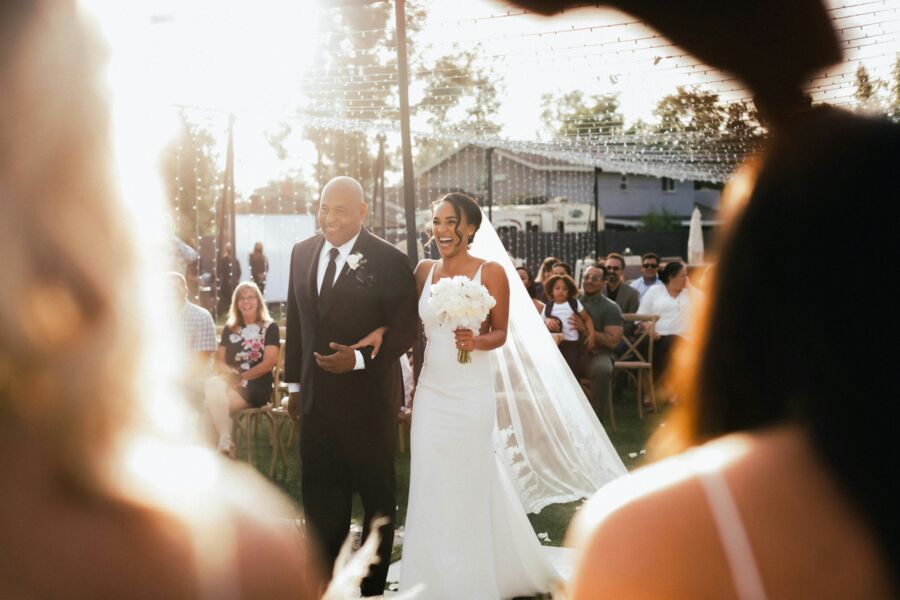
"Cull" is a farming word: to select from the herd. Photographers borrowed it because that's exactly the job: after every shoot, thousands of frames arrive and only a fraction should leave. This is the hub guide: what culling is, what it actually costs you, ratios, workflows, rating systems, the AI landscape, and the mistakes that make it all slower than it should be.
What culling actually is (and isn't)
Culling is deciding which frames move forward to editing and delivery, and which don't. It sits at a precise point in the pipeline: after ingest and backup (never make destructive decisions on the only copy), and before editing (never retouch a frame that won't ship). Everything downstream of the cull inherits its quality: edit time, gallery coherence, delivery date.
In pipeline form: shoot → ingest → backup → cull → edit → deliver → archive. The cull is the narrowest point, the funnel where thousands of frames become hundreds, and the last moment a shoot is cheap to handle. Every frame that survives it costs edit time, storage, export time, and a slice of the client's attention.
Two clarifications that save people grief:
- Culling is curation, not deletion. The output is a selected set, usually marked with flags. What happens to the rejects, archive, delayed deletion, keep-forever, is a separate storage-policy decision made later, calmly.
- Culling is a client-facing act. The gallery is your curation. A tight 500 reads as mastery; the same 500 buried in 900 near-duplicates reads as homework. Clients never see your best work. They see your average, and the cull sets the average.
Why culling deserves a system: it's 11% of your job
The best data we have on where photographers' time goes comes from a UK survey of 300+ wedding photographers run by Your Perfect Wedding Photographer in 2020: worth noting, before AI culling tools went mainstream. The split: 4% shooting, 55% editing, 18% admin, 11% culling, 7% communication. Respondents averaged 28 weddings a year.
Sit with that: culling, the task most photographers treat as a chore to muscle through, consumed nearly three times as much of the week as actually taking photographs. And it's positioned as a bottleneck: editing (the 55% monster) can't start until culling finishes, so every day the cull slips, the gallery slips with it. That's why culling speed shows up downstream as delivery time, backlog size, and, since capacity is the denominator of your pricing math, money. For per-genre time benchmarks, see how long culling actually takes.
How many frames should survive?
The honest answer: there is no universal keep ratio, but weddings, the best-documented genre, give a useful anchor. Typical full days produce 2,000 to 4,000 RAW frames and typical galleries deliver 400 to 800 images, around 40 to 60 per hour of coverage (ranges published by Snapeen). Run the arithmetic on the midpoints and most frames from a wedding day are culled, not delivered. Cutting is the norm, not a failure.
For other genres, reason from what drives the ratio rather than borrowing a number:
| Genre | What inflates the take | What governs the cull |
|---|---|---|
| Weddings / events | Bursts, unrepeatable moments, safety shots | Contracted delivery count; one pick per moment |
| Family / children | Toddler bursts, blink roulette in groups | Best face per person; parents want quality over volume |
| Headshots / branding | Deliberate, posed, repeatable frames | Client picks from proofs; you shortlist, they choose |
| Sports / wildlife | High-speed bursts by design | Peak action only; deepest culls of any genre |
Whatever your genre, track your own ratio for three or four shoots: frames captured, frames delivered, minutes spent culling. The ratio is a diagnostic, not a scorecard: if it suddenly drops (you're keeping less), your shooting got more deliberate or your standards rose, both fine. If the capture count climbs shoot after shoot while deliveries stay flat, you're paying a growing culling tax for frames that were never going to ship, and the cheapest fix is behind the camera, not in front of the screen. And when you promise deliveries, promise a formula, not a fixed miracle: delivered images ≈ hours of coverage × your per-hour norm.
One warning that applies everywhere: delivering more is not generosity. Classic choice research, Iyengar & Lepper's famous "jam study": found that more options lowered satisfaction and follow-through, and a 900-image gallery does exactly that to a client. The cull is where you protect them from choice overload.
The three places culling can happen
In camera (light touch)
Rating or rejecting obvious test frames during downtime at the shoot. Cheap wins only: never delete in camera before cards are backed up, and don't let reviewing steal attention from shooting.
At ingest (the triage cull)
A quick sweep while importing: some photographers reject catastrophic frames as previews load, or pull sneak-peek candidates the same night. Useful, but dangerous as your main cull, judgment at 11 PM after a ten-hour day is not judgment.
In post (the real cull)
The main event: rested, next day, previews pre-rendered, keyboard-only, in one sitting. The gold-standard structure is two passes: a binary reject sweep, then picks chosen scene by scene, comparing near-duplicates side by side. We've written that method up step-by-step in how to cull 3,000 wedding photos in under two hours; the software-specific version lives in the Lightroom culling workflow.
Flags beat stars (with one exception)
Every culling tool offers two vocabularies: binary flags (pick/reject) and 1 to 5 star scales. For the main cull, binary wins, for a reason rooted in perception: humans are quick and reliable at comparative judgments ("this one over that one") and slow, inconsistent ones at absolute ones ("is this a 3 or a 4?"). A five-point scale forces the slow kind of judgment thousands of times; a flag forces the fast kind once per frame.
Stars earn their place in exactly one spot: after the cull, on picks only, as a shortlist tier: the album spreads, the sneak peek, the portfolio candidates. Rating the entire take 1 to 5 "to keep options open" is one of the most common ways culls quietly double in length; the full argument is in star ratings vs flags.
The hybrid system, in one line: reject flag for broken frames, pick flag for the ones you keep, one star tier for the standouts: three buckets, three keys, and nothing that asks you to decide whether a photograph is a 3 or a 4 at eleven o'clock at night.
Why culling feels harder than it should
It's not discipline. It's psychology. More options genuinely degrade decisions (choice overload), research suggests long runs of repeated choices erode the later ones (decision fatigue: a debated but persistent finding), near-duplicates sit close to the limits of human discrimination, and rejecting a frame registers as a small loss, which we're wired to avoid. Every fix in this guide, binary passes, scene grouping, one rested sitting, maps to one of those findings. The full tour is in why picking the "right" photo is so hard.
The AI culling landscape in 2026
Modern culling assistants detect the mechanical failures, blinks, blur, closed eyes, exposure misses, and group near-duplicates, then propose a selection you review. The mainstream options, with their published entry pricing:
| Tool | Model | Entry price | Notes |
|---|---|---|---|
| Aftershoot Select | Subscription, desktop, local processing | $10/mo annual · $15 monthly | Unlimited images; 30-day trial, no card |
| Narrative Select | Subscription, desktop, local-first | Lite $10/mo annual · $15 monthly | Unlimited projects; free full trial of Ultra |
| FilterPixel | Subscription with free tier | Free for 4 projects · from $19/mo | Easiest zero-cost way to test AI culling |
| Imagen AI | Pay-per-photo, cloud | $0.05/edited photo · $7/mo minimum | Editing is the core product; culling included |
| Kepla | Native iPhone/iPad/Mac apps | Coming soon, free while we build | AI first pass, you approve from your phone; waitlist open |
Prices checked August 2026 from vendors' published pricing pages.
The good news for skeptics: this market lets you audit before you pay. Aftershoot's 30-day trial requires no card, Narrative offers a free full-featured trial of its top tier, and FilterPixel's free tier covers four complete projects. The audit worth running: take a shoot you've already culled by hand, feed it through a trial, and compare the tool's rejects against your own decisions. Where it disagrees with you tells you whether its judgment fails on things you care about. Seasonal shooters should also note Aftershoot allows pausing the subscription for three months a year. A detail that matters more than the sticker price if your winters are quiet.
What should you believe about accuracy? Be skeptical of vendor-published numbers: comparisons floating around the industry are marketing, not peer review. The sober assessment of what these models catch and what they miss (story, emotion, the awkward-but-priceless frame) is in can you trust AI to pick your photos?, and the head-to-head shopping guide is the culling software roundup. Our own position is simple and we hold competitors to it too: the machine takes the first pass, the photographer keeps the final say.
The six culling mistakes that cost the most
- Culling on shoot day. Exhausted judgment plus emotional attachment to frames you just made, the worst possible reviewer.
- Pixel-peeping everything. Zooming to 100% on frames whose flaws are invisible at delivery size. Zoom answers doubt; it shouldn't be the default.
- No reject pass. Comparing your selects against a backdrop of blinks and test frames makes every decision heavier than it needs to be.
- Rating everything 1 to 5. Five-way absolute judgments, thousands of times. Binary first; stars for the shortlist only.
- Keeping near-duplicates "just in case." The case never comes, but the bloated gallery ships.
- Never timing yourself. If you don't know your culling hours, you can't improve them, or price them.
Each of these (plus three more) gets a fix in 9 photo culling mistakes.
FAQ
What does culling mean in photography?
Culling is selecting which frames from a shoot move forward to editing and delivery, and which are set aside. It happens after backup and before editing. The output isn't a smaller archive. It's a curated set: the gallery your client actually receives.
What percentage of photos should you keep?
There's no universal ratio. It depends on genre and shooting style. The best-documented case is weddings, where typical days produce 2,000 to 4,000 RAW frames and typical galleries deliver 400 to 800 images, so most frames don't make it. Burst-heavy work culls deeper; deliberate posed work keeps a higher share. Judge your cull against your delivery promise, not against someone else's ratio.
How long does culling take?
A UK survey of 300+ wedding photographers found culling consumed 11% of total working time: a meaningful slice of the week, not an afternoon-sized chore. Per shoot, it depends on frame count, method, and tooling: a disciplined two-pass cull of a full wedding fits in roughly a two-hour session, while an undisciplined single pass can sprawl across evenings.
Should you use AI to cull your photos?
AI is genuinely good at the mechanical layer, blinks, blur, duplicates, exposure problems, and that layer is most of the volume. It is not good at story, emotion, or the imperfect frame that matters. The workflow that makes sense is AI proposes, you approve: let a tool sweep the wreckage and group duplicates, then make the creative picks yourself.
Should you delete rejected photos?
Not during the cull: flag rejects and delete (or archive) later, once the gallery is delivered and your retention policy says so. Many photographers keep rejects until delivery in case a client asks about a specific moment, then clear them on a schedule. Whatever you choose, write the retention window into your contract.
Never cull alone at 1 AM again.
Kepla for Mac clears the obvious misses from a card, names the reason on every frame it sets aside, and leaves the choosing to you. Nothing is ever deleted, moved or renamed. Free through the private preview · the first hundred photographers keep it at $99 a year.