How to cull 3,000 wedding photos in under two hours, without missing the good ones
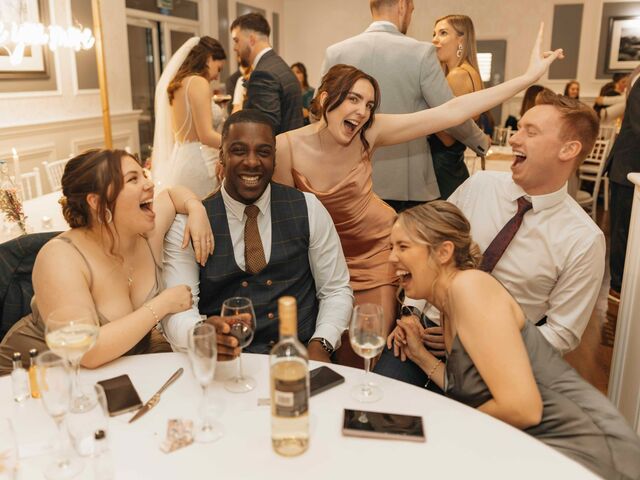
It's Tuesday. Saturday's wedding sits on your working drive, 3,000 frames, give or take, and somewhere inside are the several hundred that become the gallery. Most photographers turn this into three evenings of squinting. It can be one focused session, if you stop making one enormous decision 3,000 times and start making two small ones instead.
Why two hours is a realistic number, not a stunt
Start with the industry's own numbers. A typical 8 to 10 hour wedding day produces somewhere around 2,000 to 4,000 RAW frames, and typical full galleries deliver 400 to 800 finished images: roughly 40 to 60 photos per hour of coverage, per ranges published by the platform Snapeen. Two things follow from that.
First: most of your frames are leaving. If you shot 3,000 and will deliver 600, four out of five frames don't make it. Culling is mostly demolition, and only briefly curation. A workflow that treats every frame as a candidate for the gallery is optimized for the wrong job.
Second: the per-frame budget is tiny, and that's fine. 3,000 frames in 120 minutes works out to about 2.4 seconds per frame on average. That's plain arithmetic, not a study result, and it sounds absurd until you notice the word average. Most frames need a fraction of a second ("blink, gone"); the handful of genuine dilemmas can take twenty. The two-pass method below is just a way of making sure the fast decisions stay fast.
Why care about speed at all? Because culling isn't a rounding error in your week. A UK survey of 300+ wedding photographers (2020, before AI tools were common) found culling alone consumed 11% of total working time, with editing at 55% and actual shooting at just 4%. Culling is also the gate in front of editing: nothing gets retouched until it survives the cull, which is why a slow cull quietly becomes a six-week gallery. The full picture of what culling is and where it sits in your pipeline lives in our complete culling guide. This article is the speed run.
Before you judge a single frame
Render previews while you sleep
The biggest hidden time cost in culling isn't deciding. It's waiting for the next image to load. Kick off preview generation (embedded previews for speed, or standard-size if you'll be zooming) right after ingest and backup, and cull the next day against previews that appear instantly. Our Lightroom culling workflow covers the exact settings.
One screen, one app, hands on the keyboard
Full-screen your culling app. Close email. Every decision should be a single keystroke with auto-advance to the next frame, reaching for the mouse is a tax you pay thousands of times. If you don't have the flag/reject/advance keys in muscle memory yet, the keyboard-only cull is worth thirty minutes of practice.
One sitting, decent hours
Culling spread across four late evenings isn't just slower. It's worse. Research suggests repeated decisions degrade the quality of later ones, and a cull is thousands of repeated decisions. Do it rested, in one block, and stop if you notice yourself re-reviewing frames you already passed. (Culling at 1 AM makes both of the classic culling mistakes lists, for good reason.)
Know your delivery number before you start
Whatever your contract promises, say, "500+ images", write it down where you can see it. A cull with a finish line converges. A cull without one drifts toward keeping everything "just in case."
Cull inside 48 hours
Not the same night: the next day or the day after, while the wedding is still fresh in memory. Fresh memory is a culling superpower: you already know which family formal had the sneeze, which speech got the real laugh, which part of the ceremony you covered from two angles. Wait two weeks and you'll re-discover all of it one frame at a time, at preview-loading speed. Momentum also compounds downstream: a Monday cull means editing starts Tuesday, and the sneak peek lands while the couple is still refreshing their inbox.
The reject sweep: ask one question, fast
Pass one asks a single binary question of every frame: is this frame broken? Blinks, focus misses, flash misfires, motion blur nobody wanted, test frames, the tail ends of bursts, the half-second where the officiant's arm blocks the kiss. If yes: reject, next. If no, or even maybe: leave it, next.
- Don't compare anything to anything. Comparison is pass two's job. Here you're only sweeping wreckage.
- Don't zoom unless you genuinely can't tell. If the focus miss isn't visible at fit-to-screen, it may not matter at delivery size either. Zoom is for real doubt, not reassurance.
- Don't rate. No stars, no "3 for now." Reject or leave: two keys, auto-advance on.
- Don't delete yet. Rejects get flagged, not erased. Deletion happens once, at the end, after backup discipline has done its job.
This pass is where most of your 3,000 frames exit, and it's the part of the job that requires the least of you, which is exactly why it goes first, while the sweep is mindless and momentum is cheap.
Picks by scene: compare, don't judge
Now the survivors. The trick that makes pass two fast is working scene by scene, prep, first look, ceremony blocks, formals, golden hour, reception sets, instead of scrolling one long chronological river. Within a scene, near-identical frames sit next to each other, and your job changes from "how good is this photo?" (hard) to "which of these four is best?" (much easier, human perception is far better at side-by-side comparison than absolute judgment).
For each cluster of near-duplicates: pick the frame that wins on the tiebreakers, flag it, move on. When a frame doesn't win in about three seconds, either frame works, pick one and go. The tiebreakers, in order:
- Eyes. Open, sharp, pointed somewhere intentional.
- Hands and posture. Mid-gesture beats mid-flail.
- Secondary faces. The couple looks great in all six frames; grandma is mid-sneeze in five of them.
- Edges of frame. The exit-sign, the photobombing uncle, the clipped elbow.
Two habits make pass two pay twice. First, star your sneak-peek candidates as you go: when a frame makes you pause because it's genuinely great, not merely worth keeping, give it a star on the spot. By the end of the pass your preview set, blog selects, and album shortlist already exist, for free. Second, let the scene tell you when you're done: once a scene has its story covered, wide, medium, detail, the key expressions, stop hunting through its remaining frames for a marginally better version of a photo you already picked.
Bursts deserve their own discipline: ten nearly identical frames of the bouquet toss should take seconds, not minutes, and there's a whole playbook for near-duplicates if bursts are where your culls go to die. (Prevention helps too: a well-built wedding-day timeline means fewer rushed spray-and-pray moments, which means fewer frames to cull at all.)
| Pass | The only question | How you move | What survives |
|---|---|---|---|
| 1, Reject sweep | Is this frame broken? | Reject / leave, auto-advance, no zooming | Every plausible frame |
| 2, Picks by scene | Which of these is best? | Scene groups, side-by-side, 3-second rule | The gallery |
| 3, Optional: selects | Which are portfolio-grade? | Stars on picks only, for album spreads and sneak peeks | Your best 30 to 50 |
Pass three is optional and short: a starred shortlist for the sneak peek, the blog post, and the album pitch. Notice stars appear only here, only on picks, never as a rating system for the whole take.
When to hand pass one to a machine
Look at what pass one actually is: blink detection, blur detection, duplicate grouping, exposure sanity checks. That's pattern matching, the one part of culling that modern AI tools genuinely do well. The mainstream options all take this shape: Aftershoot Select runs $10/mo billed annually with a 30-day trial and no card required; Narrative Select starts at $10/mo annual with a free full-featured trial; FilterPixel offers a free tier covering 4 complete projects. Our culling software roundup compares them properly.
Prices checked August 2026 from vendors' published pricing pages.
There's a right way to audit these tools before trusting one with a real deadline: run the trial on a wedding you've already culled by hand, then compare the machine's rejects against yours. Every tool's misses show up immediately: the "blurry" panning shot it flagged that you'd deliver proudly, the technically clean frame it kept that says nothing. Ten minutes of that comparison tells you more than any marketing page, and since the trials above cost nothing, the audit is free.
What the machine should not do is pass two. Story, emotion, the technically imperfect frame that's the best picture of the day. That's taste, and taste is the job. The workflow that works is AI sweeps, you approve: the machine proposes rejects and groups duplicates; you review its picks scene by scene and overrule freely. You keep full editorial control and lose only the mindless part.
What a two-hour cull actually buys you
If culling really does absorb around 11% of a working photographer's time. That's the UK survey's figure, from the pre-AI era, then compressing it isn't tidiness, it's capacity. Faster culls mean editing starts sooner, galleries ship sooner, and the backlog stops compounding. It's also the premise behind Kepla: our upcoming native apps for iPhone, iPad and Mac run the first pass with AI, then let you approve the picks from the couch instead of the desk. Honest status: it's in development: waitlist open, free while we build.
FAQ
How long should it take to cull a wedding?
With the two-pass method and previews rendered in advance, a 3,000-frame wedding fits in one focused session of roughly two hours. The same set culled in a single deliberating pass, every frame zoomed, rated, and agonized over, routinely stretches across several evenings. The difference isn't talent; it's whether every frame gets a verdict or only the survivors do.
Should you cull before or after backing up?
After, always. Culling means deleting or rejecting frames, and you never make destructive decisions on the only copy of a wedding. Ingest, verify your backups, then cull the working copy. The one exception is in-camera rejection of obvious test frames during downtime, which some shooters do; even then, nothing gets deleted until cards are backed up.
How many photos should you deliver from a wedding?
Typical full-day galleries land around 400 to 800 delivered images, or roughly 40 to 60 photos per hour of coverage. The right answer for you is whatever your contract promises: decide the number before you cull, and let it pull the second pass toward a finish line.
Can you skip the reject sweep and just pick your selects directly?
You can, but it's usually slower. Picking your selects from the full take means every comparison happens against a background of broken frames, blinks, test shots, burst tails, and your attention pays for each one. Sweeping the wreckage first means pass two only ever compares plausible candidates, which is a much easier set of decisions.
Never cull alone at 1 AM again.
Kepla for Mac clears the obvious misses from a card, names the reason on every frame it sets aside, and leaves the choosing to you. Nothing is ever deleted, moved or renamed. Free through the private preview · the first hundred photographers keep it at $99 a year.