Sorting tournament photos by athlete
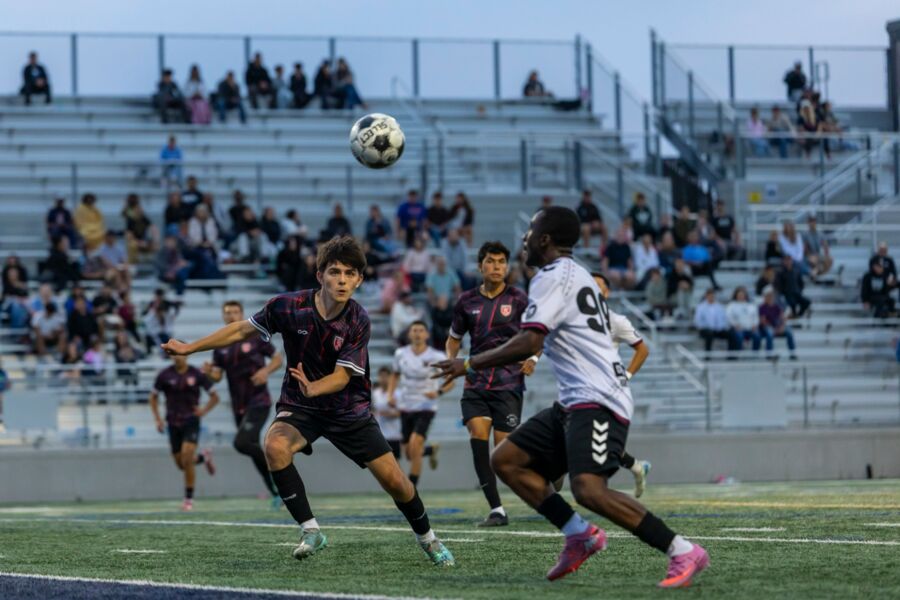
A tournament makes a particular kind of mess: several fields, a dozen teams, identical kit, and a parent who wants one child and does not care about anything else in the folder. You can shoot brilliantly all weekend and still deliver something nobody can use. Sorting by athlete is not a metadata job you do at the end. It starts at the roster and ends at the gallery, and some of it stays manual on purpose.
Work out what "sort by athlete" actually means to this client
The phrase covers at least three different products. A club may want folders by team and by game. A tournament organizer may want one gallery with names attached as searchable keywords. A volume sales platform may need every frame matched to an individual participant before anything can be sold. Those are three different amounts of labor and three different privacy conversations, and agreeing which one you are delivering is the single most valuable thing you can do before you travel.
For a youth tournament, a realistic promise sounds like this: galleries grouped by team and game, plus a featured collection for each athlete who appears in enough usable frames. For a recruiting showcase, the expectation is usually captions carrying name, number, graduation year and club. Do not promise individual folders for four hundred participants unless you have a method that actually produces them.
Then set a minimum. An athlete needs some agreed number of distinct usable frames before they get a named collection, so you are not shipping one image folders that make a coverage gap more visible than it needed to be. Put the rule in the contract in plain words, and put it in the gallery notes too. Most complaints about tournament galleries are expectation problems wearing a metadata costume.
Capture the information that makes matching possible
The fastest sorting system is mostly built before the first game. Ask for rosters in something structured, a spreadsheet or a CSV rather than a PDF, carrying team name, athlete name, jersey number, age group, and the field or court schedule. Then check the thing everyone forgets: whether numbers repeat across teams. Number 12 on Blue U14 and number 12 on Red U15 are not the same search key, and if you treat them as one you will hand a family the wrong child.
Photograph a reference frame at the start of each game. A roster board, a lineup sheet, a scoreboard, the field number on the fence when you move locations. They feel like wasted frames at the time and they are the most valuable images on the card by Sunday night. If two teams are in similar kit, make a wide team frame or a coach huddle as a visual separator so you can tell later where one game ended and the next began.
Synchronize the clocks on every body before you start, including a second shooter's. Capture time is what lets you turn "the save in the second half" into a folder in about ten seconds, and it is the only thing that reliably merges two photographers' work into one timeline. It is also the fallback when a mark made in the body does not survive ingest, which is worth testing in advance: see rating frames in camera for sports.
Separate the games before faces become a problem
Every hour you will spend untangling this weekend is an hour you can avoid at ingest, and the cost of avoiding it is about a minute per game. Use a stable folder pattern that carries the date, the event, the teams, the location and the game number, something along the lines of 2026-08-12_Tournament / U15_Green-v-Orange_Field-3 / Game-01_RAW. What matters is not the exact shape, it is that a single folder called Saturday never exists.
Apply event level metadata in bulk on import: creator and copyright, event name, location, date. Then add the game level identifiers before you start selecting anything, while you still know which card came from which pitch. Our ingest checklist covers the backup side of this, and it comes first: two copies of every card before a single frame is judged.
If an assistant is helping, hand them the vocabulary rather than the intent. The failure mode here is not laziness, it is three people typing U15 Blue, Blue U-15 and Blue team into the same field across one weekend, which leaves you with three labels that look identical to a human and nothing alike to a search box. Our keywording guide makes the case for a small fixed list rather than a large flexible one, and a tournament is the strongest argument for it you will ever meet.
Tag the number first, because face grouping struggles in sport
Face grouping is genuinely useful and it is not the tool for this job on its own. Adobe describes People view in Lightroom Classic as using imaging characteristics to find faces and then stacking similar faces together, with the names you confirm added to your keyword list as People keywords. Adobe also notes the obvious limit: if a face is not easily discernible in an image, the software may not detect it at all. Now picture a helmet, a mouthguard, a face half turned at forty yards, and eleven children in the same shirt.
Imagen's culling add-on similarly uses face recognition to group subjects and duplicates, which is a real time saver on repeated appearances. Treat all of it as a way to propose groups, never as an identifier you publish from. In sport, the jersey number is the reliable key and the face is the confirmation.
So tag numbers while you are selecting, and always carry the team with the number. A keyword like U15Green_12 survives a weekend where three teams have a number 12. A bare #12 does not, and you will not notice until a parent does. Map numbers to names afterward in batches, once per team, from the roster, rather than one photo at a time from memory.
When you cannot read the number
Mark it unknown and move on. An uncertain name is worse than a missing one, especially with minors, and a review collection a coach can look through takes them five minutes and takes you an hour of guessing. Never let software attach an identity that no human has confirmed.
The parts software does, and the parts that are still yours
It helps to be blunt about the division of labor, because most of the disappointment in this genre comes from expecting the automatic column to be longer than it is.
| The task | How much software helps | What you still do |
|---|---|---|
| Getting from thousands of frames to a working set | A lot. This is pattern work: focus, eyes, near identical frames in a burst | Decide the moment inside each burst, and keep the alternate where a number is readable |
| Grouping the same face across a weekend | Some, and better on clear repeated faces than on action | Confirm every group against a number and a game before it becomes a name |
| Reading a jersey number | Very little you should rely on | Read it yourself while you select, and tag it with the team attached |
| Mapping numbers to athlete names | None, it is a roster join | Do it in batches per team, from the roster, with spellings checked |
| Deciding who gets a named collection | None | Apply the minimum you agreed, and check the coverage sheet honestly |
| Naming minors in a public gallery | None, and it should stay that way | Follow the organizer's written policy, every time |
The first row is the one that changes your weekend, because it is most of the clock. It is also the row we are building for. Kepla is meant to run that first pass on an iPhone or iPad, on the drive back from the fields, and hand you a shortlist you approve with a thumb, then open the same shoot on a Mac for the frames that need a full size look. It picks, and only picks. It never deletes, moves or renames a file, which matters more here than in most genres: your folder structure is the product, and nothing should be reorganizing it but you. The picking app is still being built. The booking page is live and free today.
Select for coverage, not only for the highlight reel
A tournament rewards a different instinct from a wedding. The dramatic frames find you, and if you select the way you would select a portrait job you can build a beautiful gallery in which nine children on the roster never appear. Those nine families are the only feedback you will get.
The two pass method for that, filling a roster sheet first and improving it second, is set out in our guide to picking sports photos, so we will not repeat it here. What is specific to athlete sorting is the second selection you are making at the same time. Alongside the editorial keepers, peak action and celebration and team story, you are collecting identity frames: a readable face or number, a different body position, and enough quality to stand alone in one child's gallery. The two sets overlap heavily and they are not the same set.
The practical consequence is a rule about alternates: keep the second best action frame until the coverage check is finished. It is regularly the only frame in a burst where number 17 is identifiable, and it is worth more to that family than the sharper one where the number is hidden behind an elbow. Nothing gets cleared off the drive until the sheet is full.
Build the gallery around how a parent searches
Organize the delivery around the client's mental model rather than your catalog logic. Day, then age group, then team or game, and named athlete collections only where they are accurate and populated enough to be worth opening. Add a short note at the top explaining how to find an athlete: by name, by number, by team, by game. A parent will not deduce your system from a grid of two thousand thumbnails, and the ones who cannot find their child will email you at eleven at night rather than buy anything.
Keep the public names readable. Internal abbreviations that made sense at ingest look like a filing error to a family. Then test the gallery from a client account before you send the link: search the first name, the full name, the jersey number and the team, and confirm the right files come back. Ten minutes of that catches more problems than an hour of tidying keywords. The delivery side more generally, including how soon a tournament gallery should land, is covered in our gallery delivery guide.
Privacy deserves a real decision rather than a default. Follow the organizer's policy on naming minors, on public galleries, on downloads and on face recognition, and get it in writing before the event. Where you have a choice, use the least exposed structure that still does the job: team and game folders are often entirely sufficient, and a named public album of a child is a bigger commitment than it looks.
The whole method, in the order you actually do it
- Get rosters and schedules before you travel. Normalize team names, check for repeated jersey numbers, confirm spellings.
- Photograph field signs, roster boards and team separators as you move between locations.
- Ingest each game into its own dated, named folder. Two copies of every card before anything is judged.
- Apply event and game metadata in bulk, using one fixed vocabulary that everyone helping you shares.
- Run the first pass for the story, then run the roster coverage check for usable identity frames.
- Tag visible jersey numbers with the team attached, then map numbers to names in batches from the roster.
- Send anything uncertain to a coach or team manager to confirm. Never guess a name.
- Publish team and game galleries, add named collections that clear your minimum, then test search as a client would.
The mistakes that cost a whole weekend
Accepting a roster PDF without checking it has numbers, unique names and the current schedule. Mixing two fields into one import because the cards were full at the same time. Tagging only the players who scored. Using nicknames in a searchable field. Naming a public folder before verifying the spelling of a child's surname. And the quiet one: letting any piece of software attach an identity that no human ever checked.
Renaming and keywording after the selection is done is a smaller job than it sounds once the folders are right, and we cover the mechanics of it in renaming and keywording after the cull. If you also shoot school volume work, the same roster discipline transfers almost intact to picture day.
FAQ
Can face recognition sort a whole tournament automatically?
No, not to a standard you would publish from. It speeds up grouping where faces are clear and repeated, which is why it is worth running, but helmets, motion blur, distance, sunglasses and eleven teammates in identical kit produce predictable mistakes. Treat the groups it makes as suggestions, then confirm each one against a jersey number, the game it came from, and the roster before a name goes anywhere public.
What if two teams use the same jersey numbers?
Always pair the number with the team, age group and game rather than tagging it on its own. A keyword such as U14Blue_07 stays unambiguous across a weekend where three teams have a number seven, while a bare number seven quietly merges three different children into one search result. Decide the format before the event and use exactly that format everywhere, including anything an assistant types.
How many photos should each athlete get?
That is a contract question, not a technical one. Agree a realistic minimum before the event, something like a few distinct recognizable frames per athlete, and say plainly what happens for players who barely appear. Do not pad a collection with near identical frames to make the counts look even. Families notice, and a short honest set reads better than a long repetitive one.
Should I sort by team or by athlete?
Start with team and game, then add athlete collections on top. Team and game structure is cheap to produce, hard to get wrong, and it is how most parents actually navigate, since they know which game they watched. Named athlete collections are the expensive layer, so add them only where your coverage is genuinely good and the identification has been confirmed by a human.
Is it safe to publish athlete names in a public gallery?
Ask the event organizer and get the answer in writing, particularly with minors. Policies differ between clubs, schools and showcase events, and the photographer is usually the one carrying the risk. Where you have a choice, use the least exposed option that still meets the need. Team and game folders with private access often work perfectly well without any child's name being searchable in public.
The first pass, done before you leave the parking lot
Kepla for Mac clears the obvious misses from a card, names the reason on every frame it sets aside, and leaves the choosing to you. Nothing is ever deleted, moved or renamed. Free through the private preview · the first hundred photographers keep it at $99 a year.